
Multi-chain Assets
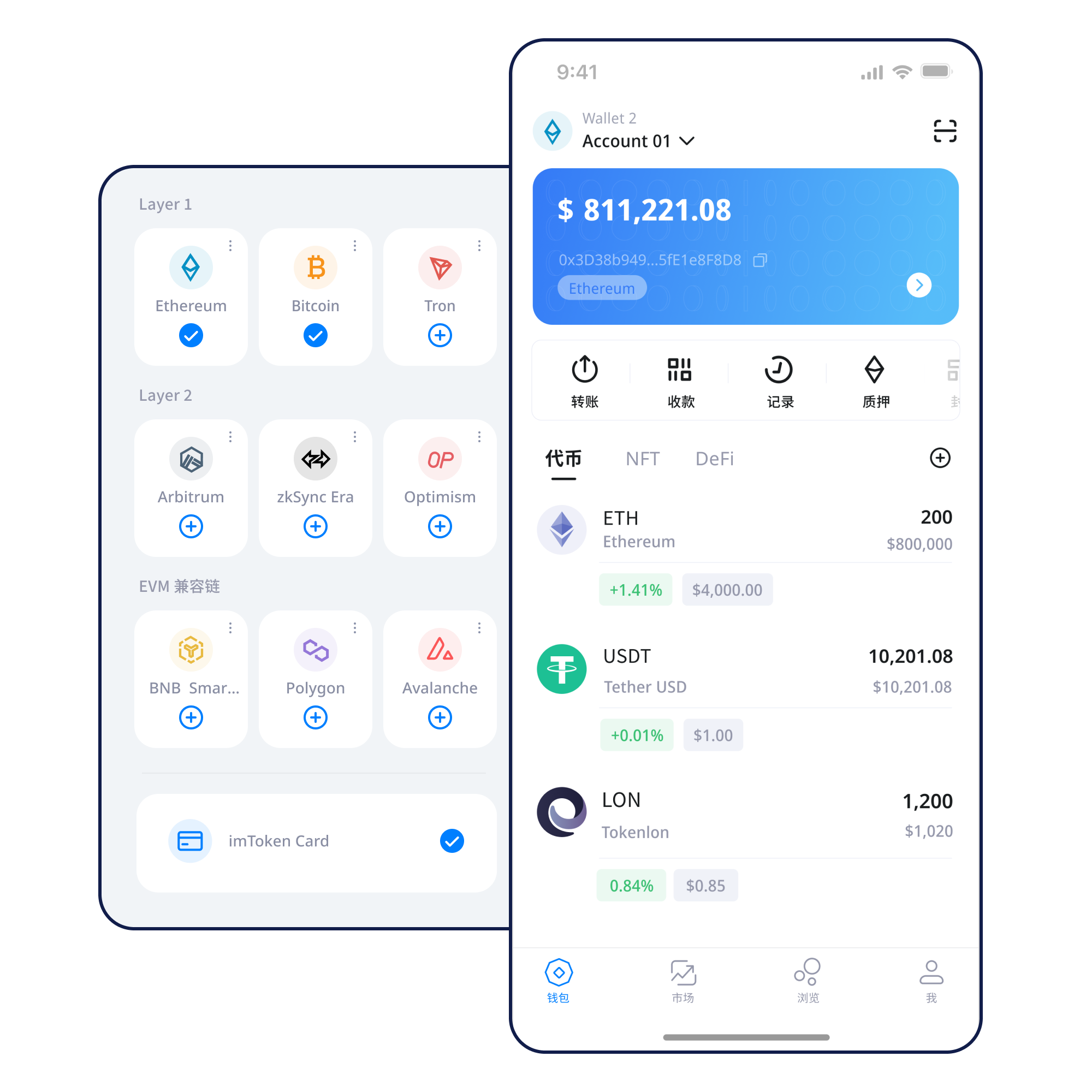
When switching networks, verify where the asset exists, which address format is in use and which asset pays network fees. Similar addresses do not move assets across chains.
A multi-chain wallet, blockchain network and Web3 knowledge hub from imtoken
imtoken brings multi-chain asset management, network selection, sending and receiving, DApp connections, token approvals and transaction checks into one clear workflow. It also provides practical wallet-security and blockchain education so users can review the address, network and request details before acting.
Start with a task
Understand wallet creation, address generation and the information worth checking before first use.
Open guide →02Back Up a WalletLearn how seed phrases and private keys relate to control, and why offline storage matters.
Open guide →03Receive AssetsVerify the receiving address and network rather than treating similar address formats as the same chain.
Open guide →04Send AssetsReview the destination, network, amount and gas, and consider a small test when appropriate.
Open guide →05Connect to a DAppCheck the domain and account request first, then review every signature and approval independently.
Open guide →Wallet capabilities
Asset management is more than a balance display. Networks, addresses, contracts, transaction records and active permissions all shape whether an action matches your intent.
When switching networks, verify where the asset exists, which address format is in use and which asset pays network fees. Similar addresses do not move assets across chains.
View assets, manage networks, inspect transaction history and handle DApp requests on mobile. Read every signature and approval as a separate decision.
Browser connections help you inspect account requests and DApp sessions. After use, disconnect sessions you no longer need and review permissions.
Learn about Web access →
Users control their own seed phrases and private keys. Offline backup, device security and least-privilege approvals are core long-term habits.
Network knowledge
A multi-chain wallet works with separate network states. Check the chain name, asset origin, DApp support and fee requirements before acting.
Read the guide →Network knowledge
Public chains use nodes, blocks and consensus to maintain shared state. Block explorers help verify transaction inclusion and confirmations.
Read the guide →
Network knowledge
EVM networks often use the same account-address format, while gas assets, contracts and balances remain network-specific. Always confirm the active chain.
Read the guide →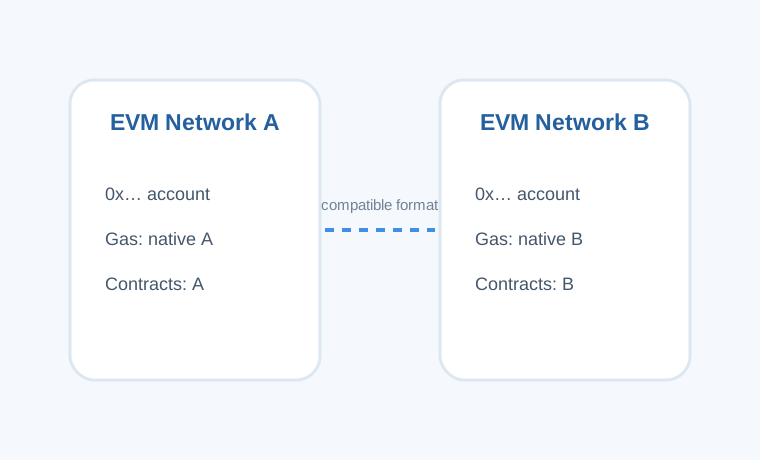
Network knowledge
Layer 2 systems relate to a base chain, but deposits, withdrawals and bridge flows can have different steps, waiting periods and confirmation patterns.
Read the guide →
Network knowledge
Gas is part of how networks price transaction execution. Fee conditions, transaction queues and block confirmations all influence completion time.
Read the guide →Wallet journey
Use a trusted access path to reach the download page and avoid unknown installers or shortened links.
Know the difference between a new wallet and an import, and verify that recovery information is complete before relying on it.
Store the seed phrase offline. Do not screenshot it, upload it publicly, or send a private key to anyone.
Match the asset network, the DApp's required chain and the asset used to pay gas.
Check the address, network and amount; for important transfers, a small affordable test may reduce mistakes.
Keep the transaction hash, check confirmations and review DApp permissions that are no longer needed.
Web3 & DApp
Connecting a wallet creates a session; it does not make every later request appropriate. Separating the domain, account request, signature contents, spender and permission scope makes it easier to understand what you are approving.
Open Web3 guide →Security
Seed phrases and private keys determine wallet control and should remain with the user. Official personnel will not ask for a seed phrase, private key or verification code. Verify the destination, network and amount before transfers; understand signature requests; and check the spender and allowance before approvals. Third-party DApps and contracts carry their own risks, and on-chain transactions generally cannot be reversed by a wallet alone.
Open Security CenterFeatured introduction
Start with addresses, seed phrases, private keys, networks and gas, then move to transaction hashes, DApps and approvals. Learning them in the order they appear in real tasks makes the concepts easier to apply.
Read the introduction →How nodes, blocks, confirmations and explorers describe transaction state.
ContractsEVM & Smart ContractsAccount addresses, gas, contract addresses and token approvals.
ScalingLayer 2 BasicsMainnet relationships, bridges, deposits, withdrawals and arrival checks.
Web3 SecurityDApp ApprovalsReview spenders and allowance amounts, then remove permissions you no longer use.
SecurityWallet SecurityBuild habits around credentials, devices, signatures and transfers.
GlossaryBlockchain GlossaryConnect common on-chain terms with clear, practical definitions.
Ethereum
Ethereum PoS uses validators to participate in consensus. Rewards arise from protocol rules and validator activity, while exits and withdrawals follow network mechanisms. Before participating, understand validator state, waiting periods, network penalties, smart-contract risk and digital-asset price volatility.
Ethereum staking basics →Updates
Creation, backup, network checks and transaction review organized as one continuous path.
Recent UpdateNetworkChecks before cross-network activityIdentical-looking addresses do not automatically move assets across networks; verify the active chain.
Network NoticeSecurityReview signatures and approvals separatelyAfter connecting a DApp, continue to inspect every signature and token approval independently.
Security NoticeServiceEthereum PoS risk boundariesRewards, exit timing and validator state can all change with network conditions.
Product NoticeFAQ
Seed phrases and private keys should remain under user control. Never send them, or verification codes, to anyone.
Assets and transaction state belong to specific networks. Similar address formats do not mean the networks are the same.
No. A connection is usually a session; later signatures, transactions and token approvals should each be reviewed.
Gas is part of the fee mechanism used by a network to execute transactions or contract calls. Rules and fee levels vary by network.
It is a key identifier for locating an on-chain transaction and checking its status, block inclusion and confirmations.
No. Rewards can change, exits may involve queues, validators can be penalized, and digital-asset prices can fluctuate.
imtoken
All download actions go through the imtoken download page. Before using a wallet, understand the basics of seed phrases, private keys, networks, gas, signatures and approvals.